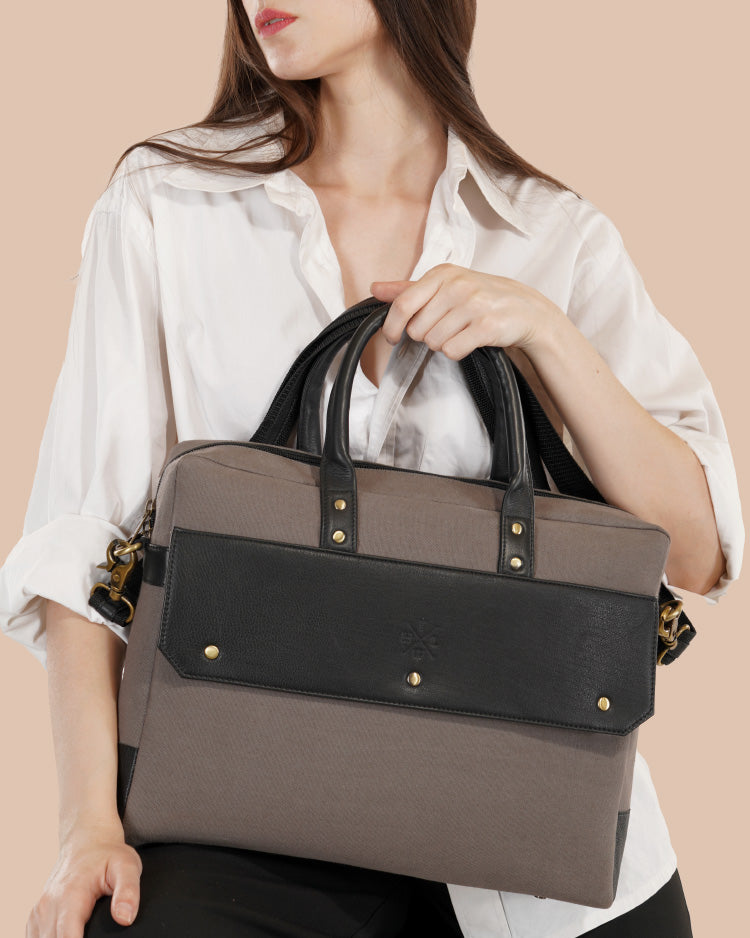
Looking for the Best Laptop Sleeve? Here’s What to Buy
How to Choose the Best Laptop Sleeve for Your Everyday Needs
Choosing the right laptop sleeve can make a real difference in how you carry and protect your device every day. Whether you take your laptop to the office, attend business meetings, study at a college, or travel frequently, a suitable sleeve helps protect it from scratches, dust, and minor bumps while keeping your belongings organised.
The Laptop Sleeve market offers plenty of choices, from simple fabric covers to premium leather designs with additional storage and carrying features. However, finding the right option requires more than picking an attractive design. You should consider the material, laptop size, padding, closure, storage space, and how you plan to use it.
If you are planning to buy a new sleeve, this guide will help you understand the important features, compare different styles, and choose an option that suits your everyday requirements.
1. Consider the Material Before Buying a Laptop Sleeve
The material is one of the first things worth checking when shopping for a laptop sleeve. It affects the appearance, durability, maintenance, and overall feel of the product.
Here are some common material options:
Leather Laptop Sleeve
A leather laptop sleeve is a popular choice among professionals who prefer a refined appearance and long-term usability. Genuine leather has a natural texture, develops character with regular use, and offers a smart look for office and business settings.
Leather sleeves are available in different colours, finishes, and designs. They can also be personalised with a name or company logo, making them suitable for individual use and corporate gifting.
Fabric Laptop Sleeve
Fabric sleeves are generally lightweight and available in different colours and patterns. They are suitable for people who prefer a casual design and easy portability.
Neoprene Laptop Sleeve
Neoprene is a flexible material that can provide cushioning against minor impacts and scratches. Its lightweight construction makes it convenient for students and people who carry their laptops frequently.
Synthetic Leather Sleeve
Synthetic leather offers a leather-like appearance at a different price point. It is available in several finishes and designs, although its ageing characteristics and durability can differ from genuine leather.
Buying tip: Choose a material based on your daily routine, preferred appearance, maintenance expectations, and the level of protection you need.
2. Select the Correct Laptop Sleeve Size
A laptop sleeve should fit your device properly. If it is too tight, placing the laptop inside and taking it out can become difficult. If it is too loose, the laptop may move around during transportation.
Before purchasing, check your laptop's actual dimensions rather than relying only on the screen size mentioned by the manufacturer.
Common size options include:
- 13-inch laptop sleeve: Suitable for many compact and lightweight laptops.
- 14-inch laptop sleeve: A practical option for several everyday business and personal laptops.
- 15-inch laptop sleeve: Designed for medium-sized laptops used for work, education, and entertainment.
- 15.6-inch laptop sleeve: A frequently preferred size for standard laptops.
- 17-inch laptop sleeve: Suitable for larger laptops, including certain performance and gaming models.
A 13 to 17 inch laptop sleeve can be a useful option when shopping for a range of laptop sizes, but always confirm the available dimensions and fit before ordering.
Check the internal length, width, and depth to ensure that your laptop fits comfortably.
3. Decide Whether You Need a Laptop Sleeve with a Handle
The way you carry your laptop should influence your buying decision. Some people prefer to place their sleeve inside a backpack or briefcase, while others want something they can carry independently.
A laptop sleeve with handle offers additional convenience for people who frequently move between offices, meetings, classrooms, and travel locations.
Consider these advantages:
- Easier carrying during short trips.
- Convenient access when attending meetings.
- Comfortable handling when travelling between locations.
- A practical alternative to carrying a larger laptop bag.
- A more structured appearance for professional use.
If you regularly carry chargers, notebooks, documents, or other accessories, look for a sleeve with additional pockets or compartments.
4. Look for Proper Padding and Interior Protection
The main purpose of a laptop sleeve is to provide an additional protective layer around your device. Therefore, pay attention to its internal construction.
A good sleeve should have a soft inner lining that helps reduce scratches caused by everyday contact. Padding around the sides and bottom can also help absorb minor knocks.
Before purchasing, check the following features:
- Soft inner lining to protect the laptop surface.
- Suitable cushioning around the main compartment.
- Secure closure to prevent accidental slipping.
- Smooth interior surfaces without rough stitching.
- Reinforced corners where available.
Remember that a laptop sleeve is not necessarily designed to protect against heavy drops or serious impacts. If you travel frequently or carry your device in crowded places, consider combining it with a well-padded backpack or laptop bag.
5. Choose a Closure That Keeps Your Laptop Secure
The closure system determines how easily you can access your laptop and how securely it stays inside the sleeve.
Different designs offer different levels of convenience.
- Zipper closure: Keeps the laptop enclosed and reduces the chance of it slipping out during transportation.
- Magnetic closure: Provides quick access and gives the sleeve a clean appearance.
- Flap closure: Offers a simple design with a cover that folds over the opening.
- Button or snap closure: Keeps the sleeve closed without adding complicated hardware.
When comparing designs, check whether the closure operates smoothly and does not come into direct contact with the laptop surface.
For people who frequently take their devices in and out, an easy-to-use closure can make everyday handling more convenient.
6. Explore Custom Laptop Sleeves for a Personal Touch
If you prefer something different from standard laptop covers, a custom laptop sleeve gives you more flexibility over its appearance and features.
Customisation allows you to select details that suit your preferences, professional requirements, or gifting needs.
Some popular customisation options include:
- Choosing a preferred leather colour and finish.
- Selecting a suitable laptop size.
- Adding your name or initials.
- Embossing a company or brand logo.
- Requesting specific design or storage features.
Custom laptop sleeves are also useful for companies that want their employees to carry matching accessories. Businesses can choose branded designs that reflect their identity and create a consistent professional appearance.
At Leather Warehouses, customers can explore handmade leather accessories with personalisation options. Free name personalisation is available up to 8 characters, while company logo branding is offered at an additional cost.
7. Consider a Personalized Laptop Sleeve for Work or Gifting
A personalized laptop sleeve is a thoughtful option for someone who uses a laptop regularly. Adding a name, initials, or company branding gives an everyday accessory a more individual appearance.
Personalised sleeves are suitable for several occasions:
Corporate gifting: Companies can order customised sleeves with their logos for employees, clients, business partners, and event participants.
Professional gifts: A leather sleeve with an embossed name makes a useful gift for colleagues, managers, and business owners.
Graduation gifts: Students entering professional life can use a personalised sleeve to carry their laptops to work or college.
Personal use: Adding your name or initials helps distinguish your sleeve from similar products in an office or shared workspace.
When ordering a personalised product, confirm the spelling, font, placement, and design before production begins. This helps avoid mistakes and ensures the finished product matches your expectations.
8. Check Storage Space for Everyday Accessories
A slim laptop sleeve is convenient when you want to carry only your laptop. However, some people prefer extra compartments for smaller essentials.
Depending on your daily routine, consider whether you need space for:
- A charging adapter and cable.
- A wireless mouse.
- A notebook or small diary.
- Pens and business cards.
- Documents and other work essentials.
If you carry several accessories, a sleeve with an additional front pocket can be a practical choice. However, avoid selecting an unnecessarily bulky design if you prefer lightweight everyday carry.
The ideal storage arrangement should keep your laptop separate from accessories and prevent unnecessary pressure on the device.
9. Think About Your Daily Usage Before Making a Purchase
Your lifestyle and work routine can help determine which laptop sleeve is worth buying.
Here are a few examples:
|
Usage |
Recommended sleeve |
|
Office and business meetings |
Premium leather sleeve |
|
College and daily commuting |
Lightweight padded sleeve |
|
Frequent business travel |
Sleeve with handle and secure closure |
|
Minimal everyday carry |
Slim laptop sleeve |
|
Corporate gifting |
Branded or personalised sleeve |
|
Larger laptops |
Correctly measured 13 to 17 inch laptop sleeve |
If you travel frequently, prioritise a secure closure, comfortable carrying design, and suitable interior protection.
For office use, a leather design can complement formal clothing and other professional accessories. Students may prefer lightweight materials that are easy to carry throughout the day.
10. Why Choose Leather Warehouses for a Laptop Sleeve?
When purchasing a laptop accessory, material quality, construction, sizing, and personalisation options deserve attention.
Leather Warehouses offers handmade leather accessories designed for professional use, everyday carrying, and gifting. Its laptop sleeve collection includes designs suitable for different working styles and preferences.
Here are some features worth exploring:
- Genuine leather: Selected leather options with natural textures and a distinctive appearance.
- Handmade construction: Products made with skilled craftsmanship and attention to finishing.
- Personalisation: Free name embossing up to 8 characters.
- Logo branding: Company and brand logo personalisation available at an additional cost.
- Custom requirements: Options to discuss specific sizes and design preferences.
- Worldwide shipping: Orders can be placed for customers across different countries.
Whether you need a slim sleeve for office use or a customised design for gifting, explore the available Laptop Sleeve Collection and compare the options before placing your order.
11. How to Maintain Your Laptop Sleeve
Proper care helps maintain the appearance and usability of your laptop sleeve. Different materials require different cleaning methods, so follow the care instructions provided with your product.
For leather sleeves, these simple practices can help:
- Wipe the exterior with a clean, soft cloth to remove surface dust.
- Avoid prolonged exposure to direct sunlight and excessive heat.
- Keep the sleeve away from water and damp storage areas.
- Apply a leather care product suitable for the material to help maintain its finish.
- Keep the sleeve in a cool, moisture-free area when not in use.
- Avoid placing heavy objects on top of the sleeve.
Also, check the inner lining occasionally to remove dust and small particles that could scratch your laptop.
A little regular maintenance can help your leather accessory retain its appearance over time.
Final Thoughts
Finding the best laptop sleeve requires a little research before making a purchase. Pay attention to the material, dimensions, internal padding, closure system, storage options, and carrying style.
A leather laptop sleeve can be an excellent choice if you prefer a professional appearance with a natural material that develops character over time. Customisation and personalisation can also make your purchase more meaningful, whether you are buying for yourself or ordering gifts for a team.
Before placing your order, compare available designs and make sure the sleeve matches your laptop's dimensions and everyday requirements. The right choice will make carrying your device more convenient while adding a practical accessory to your daily routine.
Bulk and Corporate Orders: Looking for custom laptop sleeves for employees, clients, or business gifting? Leather Warehouses accepts bulk and customised order enquiries. For pricing, logo branding, and bulk order details, contact us at contact@leatherwarehouses.com or WhatsApp.
Frequently Asked Questions About Laptop Sleeves
1. Which material is best for a laptop sleeve?
Genuine leather is a good option for people who value a premium appearance and long-term use. Neoprene and fabric are alternatives for those who prefer lightweight designs. Your choice should depend on your budget, daily routine, and protection requirements.
2. How do I choose the correct laptop sleeve size?
Check your laptop's length, width, and thickness before purchasing. Compare these measurements with the sleeve's internal dimensions. Do not depend entirely on the advertised screen size because laptop dimensions can vary between models.
3. Are leather laptop sleeves suitable for everyday use?
Yes. A properly constructed leather sleeve can be suitable for regular office use, commuting, and business travel. Look for suitable interior protection, secure closures, and quality stitching when comparing products.
4. Can I order a personalized laptop sleeve?
Yes. Personalisation options may include names, initials, and company logos. Leather Warehouses offers free name personalisation up to 8 characters, while logo branding is available at an additional cost.
5. Is a laptop sleeve with a handle better than a regular sleeve?
It depends on how you carry your laptop. A handle makes independent carrying easier, particularly during office commutes and meetings. A handle-free sleeve is more suitable if you usually place it inside a backpack or briefcase.
6. Can I order custom laptop sleeves in bulk?
Yes. Custom laptop sleeves can be ordered for corporate gifting, employee gifts, business events, and promotional requirements. Contact the supplier to discuss quantities, sizes, branding, and pricing.